Revenue, EPS, guidance, margins — earnings season starts with numbers. But the real context often comes a few minutes later, when management gets on the call.
That’s where companies explain what happened, what changed, and what they’re watching next, while responding to analysts’ questions. Sometimes the tone matters. Sometimes the details matter. Sometimes a single answer changes how the whole report feels.
Now that context is easier to follow on TradingView with live earnings calls.
Go from earnings data to the call itself
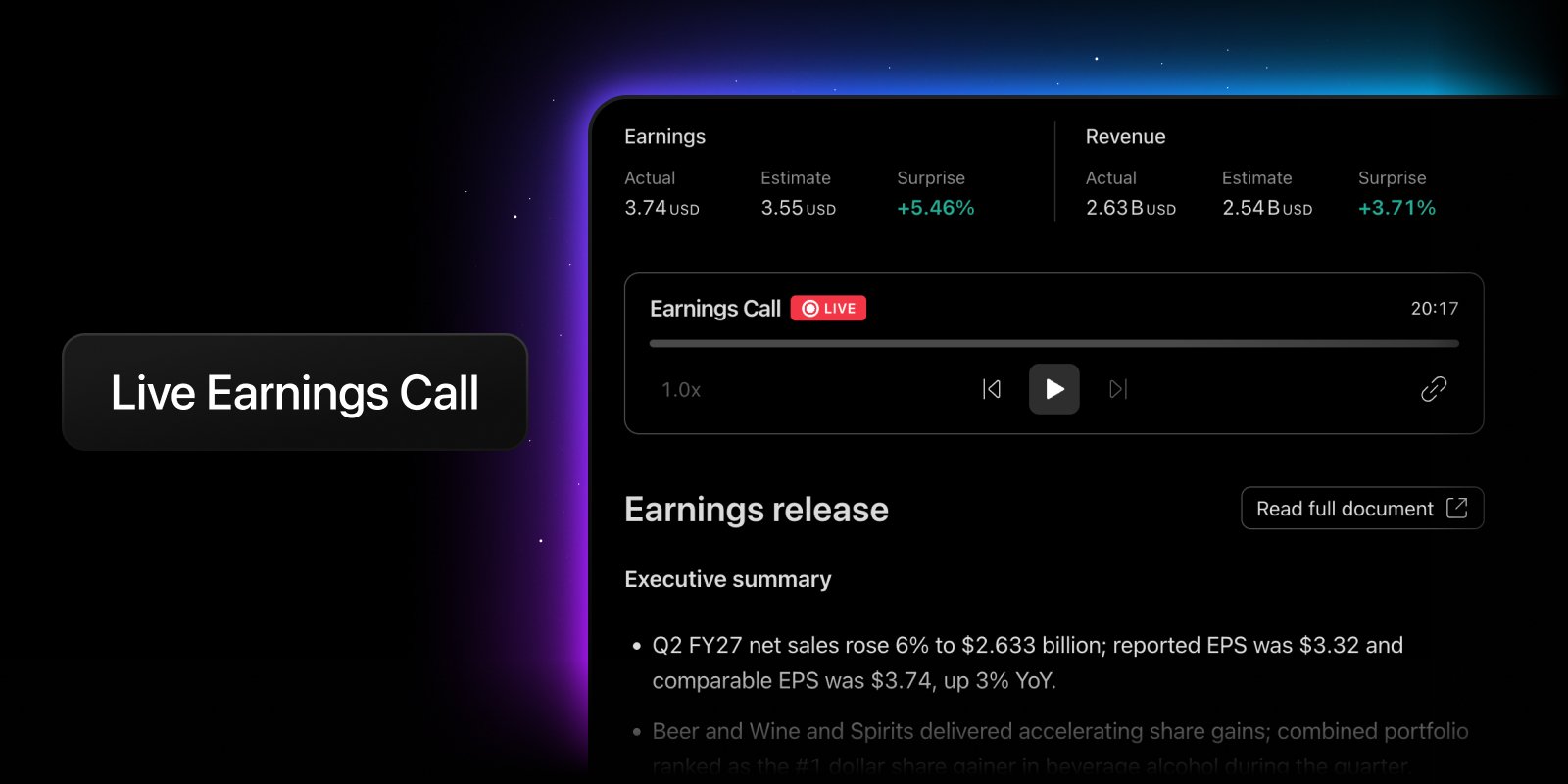
When an earnings call is available, you can now open the related earnings document and listen to the audio directly on TradingView.
The player is embedded into the earnings document experience, so the call stays next to the materials that matter: reports, filings, presentations, transcripts, summaries, and other company documents. Instead of jumping between sources, you can move from the reported numbers to management commentary in the same research flow.
If the call is live, you can listen in real time. If the event has already finished, you can come back later and play the recording.
Catch the call wherever earnings show up
You can now access earnings calls across the sections of TradingView where you already track earnings activity.
On the symbol page overview, you can see when a call is scheduled, when it’s about to start, when it’s live, and when a replay is available.

In the Earnings Calendar, supported events include an earnings call button, giving you a direct path from the calendar event to the call audio.

On charts, earnings-related markers can guide you from the price move to the call behind the event — so you can compare what the market did with what the company said. Click the earnings badge to stream live audio (enable it in Settings → Events → Earnings), or access the call directly from the Details panel on the right.

And in News, earnings call alerts help connect market updates with the source event, so you can move from the headline to the call when audio is available.

Listen live, or replay it later
Not every call needs to be followed in real time. Some are worth revisiting after the market reacts. Some are useful when comparing management commentary across quarters. Some simply help you understand why a stock moved the way it did.
With audio replays, past earnings calls remain available for supported events, letting you return to the conversation after the live event ends.

Why it matters
Earnings calls are one of the closest things investors and traders get to hearing directly from a company at a decisive moment. They add tone, context, explanations, risk signals, and forward-looking commentary that often don’t fit neatly into a table.
By bringing live earnings call audio and replays into TradingView, we’re making earnings research more connected: charts, calendars, company documents, news, and now the call itself — all closer together.
Numbers show what happened. The call helps explain why.
Team TradingView
Source: https://www.tradingview.com/blog/en/earnings-calls-on-tradingview-61476/